Live Demo
SensorStream Live Demo
Real-time device telemetry viewer with live session status, sensor selection, and streaming chart updates.
Checking API status...
Latest values
Most recent reading for each active sensor.
No readings yet
Start the demo to populate live sensor values.
Readings
Live series history for the selected sensor.
| Time | Sensor | Value |
|---|---|---|
Waiting for data... New readings will appear here as the demo streams. | ||
Chart
Live trend view for the selected telemetry stream.
Repository
Source code for the SensorStream demo UI and supporting documentation.
View GitHub RepositoryDocumentation
SensorStream API — Real-Time Telemetry Demo
Overview
SensorStream is a full-stack demo that simulates a device streaming telemetry into a backend API. Users can start or stop a live demo, view real-time charts, and inspect recent readings. The project’s purpose is to showcase core full‑stack fundamentals: API design, data persistence, and interactive frontend state management.
Tech Stack
- Frontend: Next.js (App Router), React, Tailwind CSS
- Backend: Flask (Python REST API)
- Database: SQLite (time-series-style readings)
- Tooling: python-dotenv, REST clients
- Testing: basic backend tests (planned expansion for broader coverage)
Key Skills Demonstrated
- Designed authenticated device ingestion via a REST API
- Implemented server-side validation and sensor allowlisting
- Persisted timestamped telemetry data using SQLite
- Built configurable polling and live UI updates
- Structured API responses for frontend consumption
- Managed error states and empty result sets gracefully
System Architecture
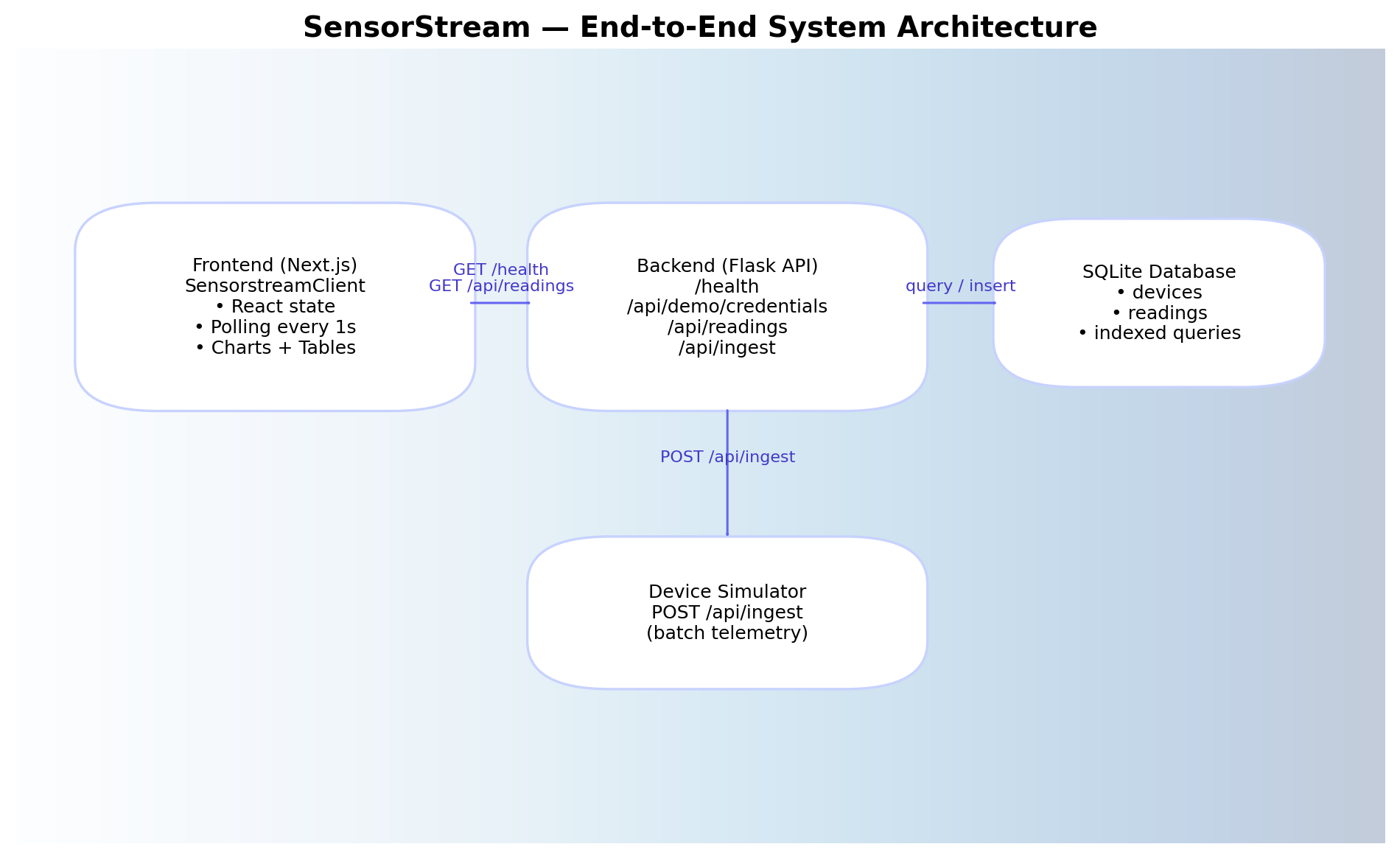
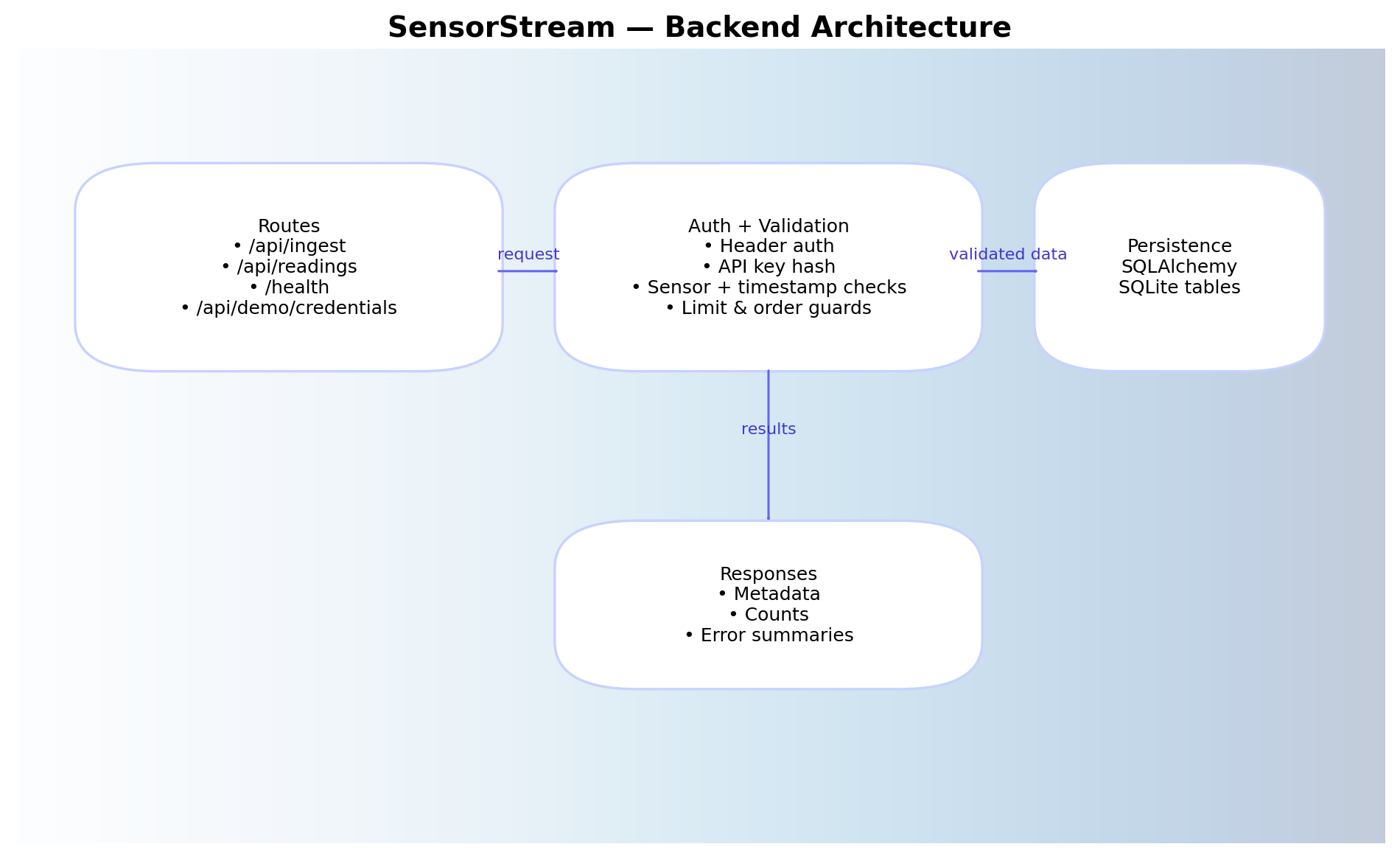
The system follows a straightforward flow from the demo UI to the backend API and database. The frontend initiates a demo session, the simulated device posts readings to the ingestion endpoint, and the UI polls for recent readings to render in the chart and table.
Diagram:
Local Setup
Backend Setup
cd SensorStream-api
python -m venv venv
venv\Scripts\activate   # Windows
pip install -r requirements.txt
python run.py
Frontend Setup
cd sensorstream-frontend
npm install
npm run dev
API Summary
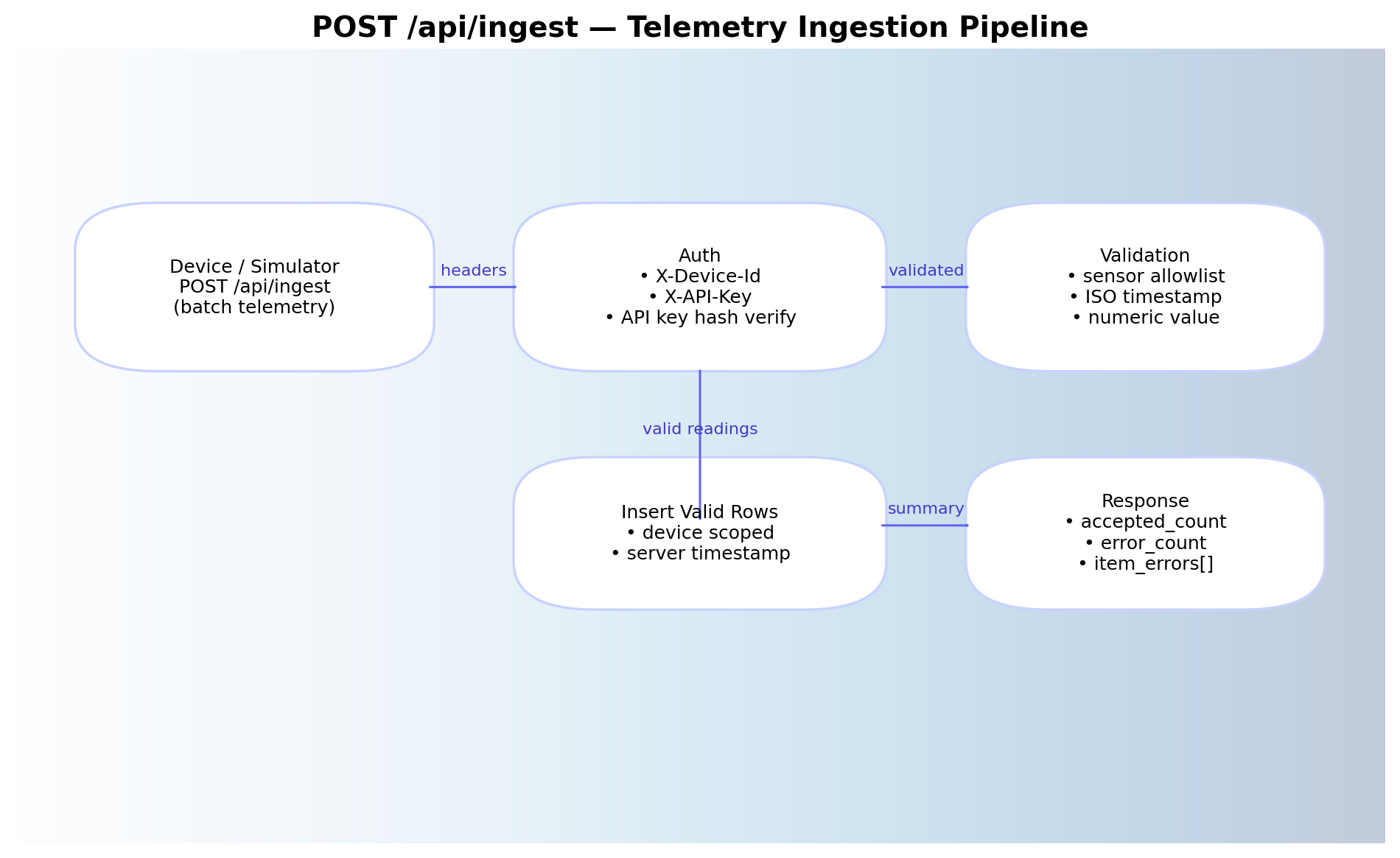
POST /api/ingest
Accepts a JSON payload containing sensor readings from a device. Requires an API key or device identifier in headers.
Example payload screenshot:
Notes:
- Validates sensor type against an allowlist.
- Stores the reading with a server-side timestamp.
GET /api/readings
Returns recent telemetry readings. Supports optional filters and paging controls.
Query parameters:
sensor(optional): filter by sensor namestart(optional): ISO timestamp startend(optional): ISO timestamp endlimit(optional): max number of readings (default = 200)
Example response screenshot: 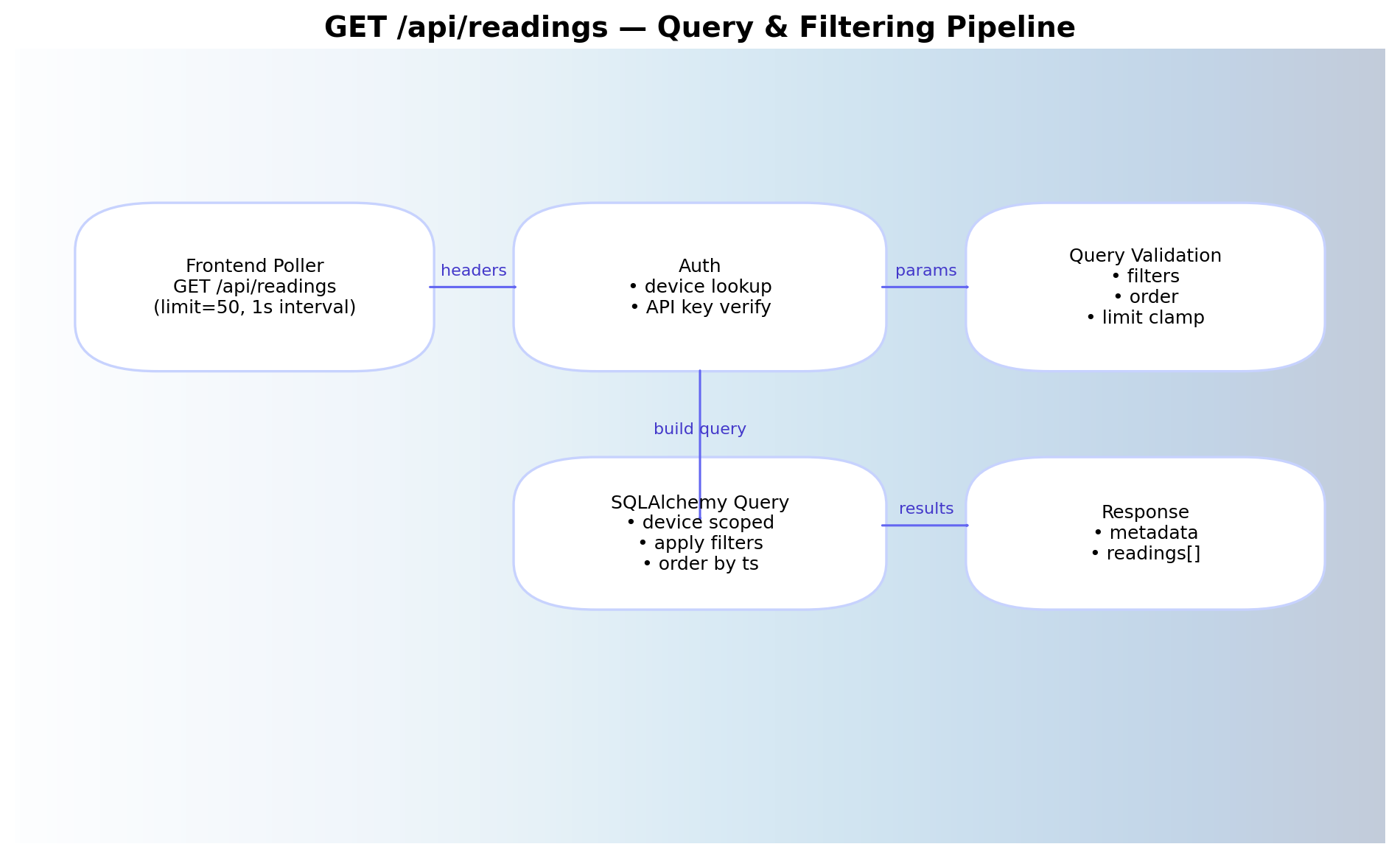
Testing
Current Coverage
- Backend includes basic validation and error-handling tests
- Manual testing is used for frontend behavior
Manual Test Checklist
- Start demo → readings begin updating
- Stop demo → polling halts immediately
- Switch sensors → chart resets and rebuilds correctly
- API health status loads on page mount
Planned Improvements
- Expanded backend test coverage (auth, edge cases)
- Frontend component and state tests
- Automated API contract tests