Project Detail
Locomotion Robot
Hardware + software integration demo for motion control.
Demo
ROS2 teleoperation using /cmd_vel with live topic streaming and robot response
Repository
Source code and hardware notes for the locomotion robot demo.
View GitHub RepositoryROS2 Graph (rqt_graph)
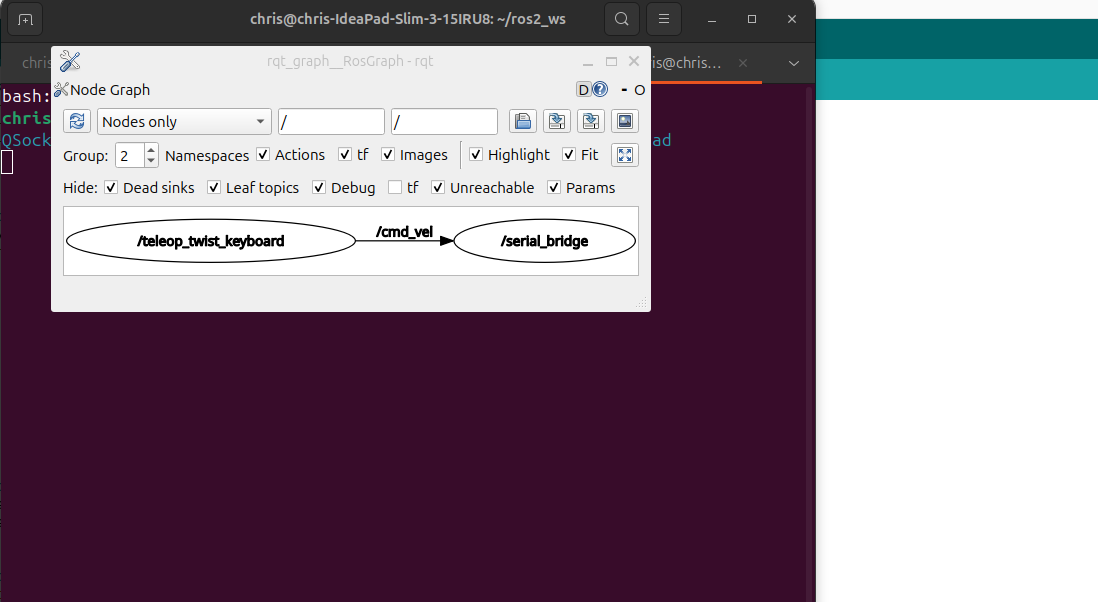
This graph visualizes the active ROS2 nodes and topic connections during teleoperation. The teleop_twist_keyboard node publishes velocity commands to /cmd_vel, which are consumed by the robot_serial_bridge node and translated into motor commands for the Arduino. This demonstrates real ROS middleware communication and node-based architecture.
System Architecture
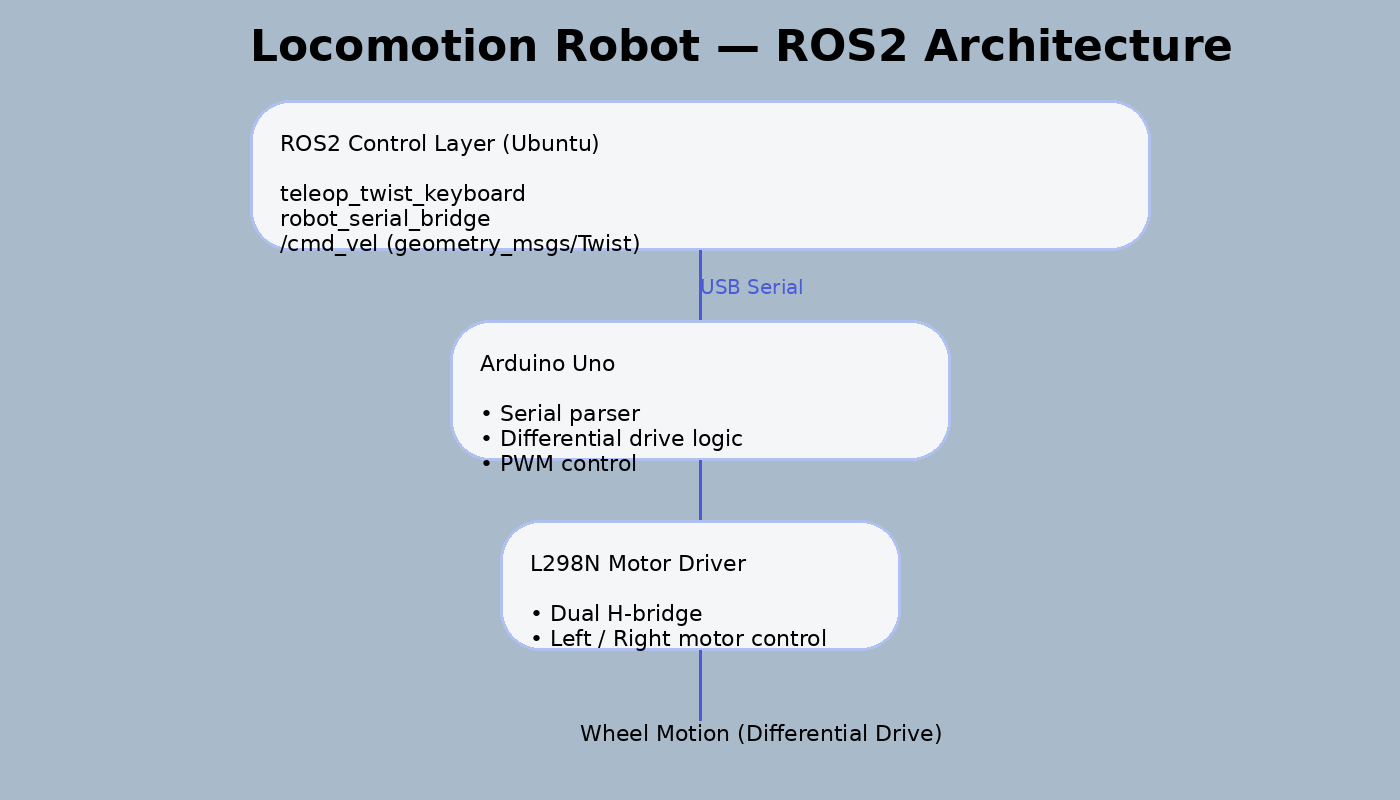
High-level ROS2 control layer communicating with Arduino-based motor control via USB serial. The serial bridge node translates velocity commands into low-level motor instructions.
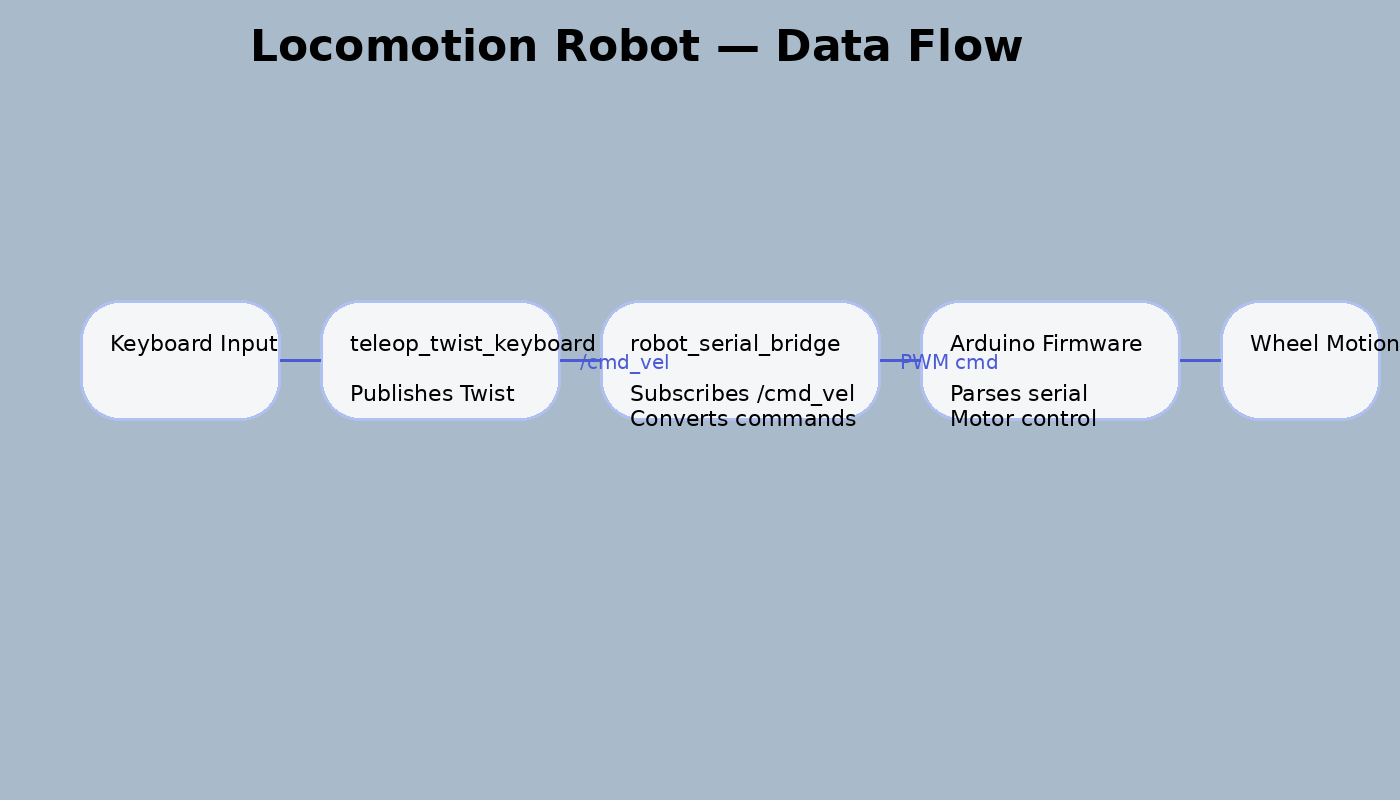
Keyboard teleoperation generates /cmd_vel messages, which flow through the ROS2 system into the serial bridge and down to embedded motor control, demonstrating end-to-end command propagation.
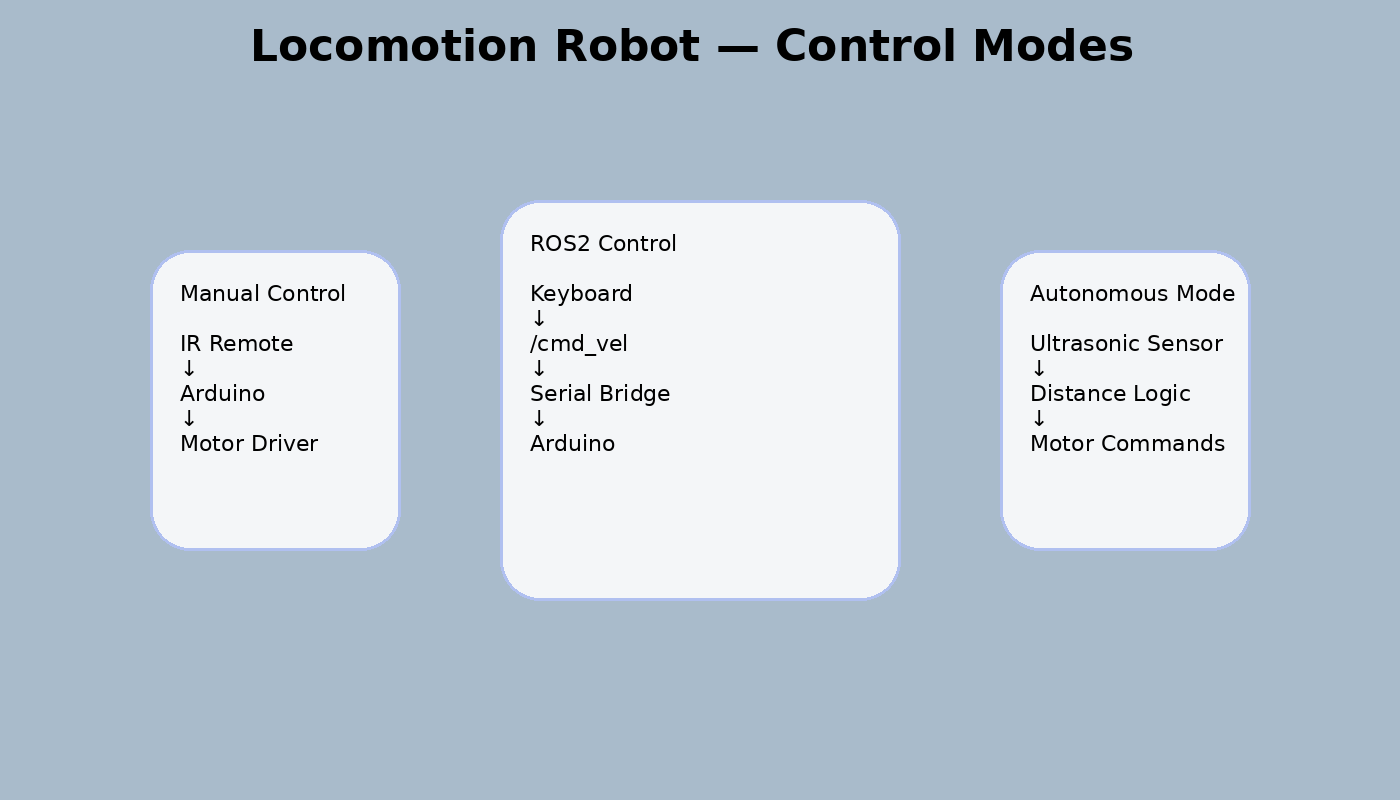
The robot supports multiple control paradigms: manual IR control, autonomous obstacle avoidance, and ROS2-based teleoperation, illustrating modular system evolution.
Documentation
Locomotion Technical Notes
Overview
- This project implements a differential-drive robot that combines Arduino-based motor control with a ROS2 Jazzy teleoperation pipeline on Ubuntu.
- The system evolved through three control paradigms: manual IR remote control, autonomous obstacle avoidance using onboard sensors, and ROS2-based keyboard teleoperation using the /cmd_vel interface.
- The final implementation demonstrates middleware-based robot control, serial communication between high-level and low-level systems, and modular robotics architecture.
Hardware (BOM)
- Arduino Uno with sensor shield.
- L298N motor driver.
- Differential-drive chassis with two DC motors and caster wheel.
- HC-SR04 ultrasonic sensor.
- Servo motor for sensor scanning.
- IR receiver and remote.
- Battery pack.
- USB connection to Ubuntu laptop for ROS2 teleoperation.
Software Stack
- Arduino IDE for firmware flashing and embedded motor logic.
- ROS2 Jazzy on Ubuntu for middleware and topic-based control.
- Python ROS2 node for serial bridging.
- teleop_twist_keyboard for keyboard-based teleoperation.
- Linux serial interface via /dev/ttyUSB0.
- GitHub for source control and project documentation.
System Operation / Bring-Up
- Assemble the chassis, motor driver, ultrasonic sensor, and servo.
- Verify Arduino firmware uploads successfully through Arduino IDE.
- Confirm motor behavior using direct firmware tests.
- Connect the robot to the Ubuntu laptop through USB.
- Verify the Arduino serial device is available at /dev/ttyUSB0.
- Launch the ROS2 serial bridge node.
- Launch teleop_twist_keyboard.
- Confirm /cmd_vel messages are published and translated into motion commands.
- Validate movement directions and stop behavior before recording demos.
Demo Capabilities
- The demo shows the robot being controlled through ROS2 using keyboard teleoperation.
- The terminal output includes the ROS topic list, /cmd_vel message values, and an rqt_graph screenshot showing the active ROS node graph.
- Additional demos demonstrate IR remote control and obstacle avoidance behavior implemented directly on the Arduino side.
Known Limitations
- ROS control is currently tethered by USB to the Ubuntu laptop.
- No onboard ROS compute yet.
- No SLAM, Nav2, or vision-based autonomy in the current version.
- Obstacle avoidance and ROS teleoperation exist as separate operating modes rather than a unified decision layer.
Roadmap
- Move ROS execution from the laptop to onboard compute.
- Add onboard serial-independent compute using Raspberry Pi Compute Module 4.
- Integrate ultrasonic and IR sensing into a ROS-aware autonomy layer.
- Add camera-based perception and lightweight edge AI.
- Explore SLAM and navigation once onboard compute is stable.